Configuration Guide with OBS Studio
This short tutorial explains how to configure RTMP or SRT streaming and apply the minimum required streaming settings for stable, low-latency delivery with OBS Studio.
OBS Studio is a free and open-source streaming and recording software.
Download OBS Studio (obsproject.com)
Before you start configuring your stream, make sure you have your secret URL key.
You can obtain it from the Manage Live Page.
Contents
1. Stream Protocol Configuration
Choose one of the following methods to publish your stream.
SRT Stream Configuration
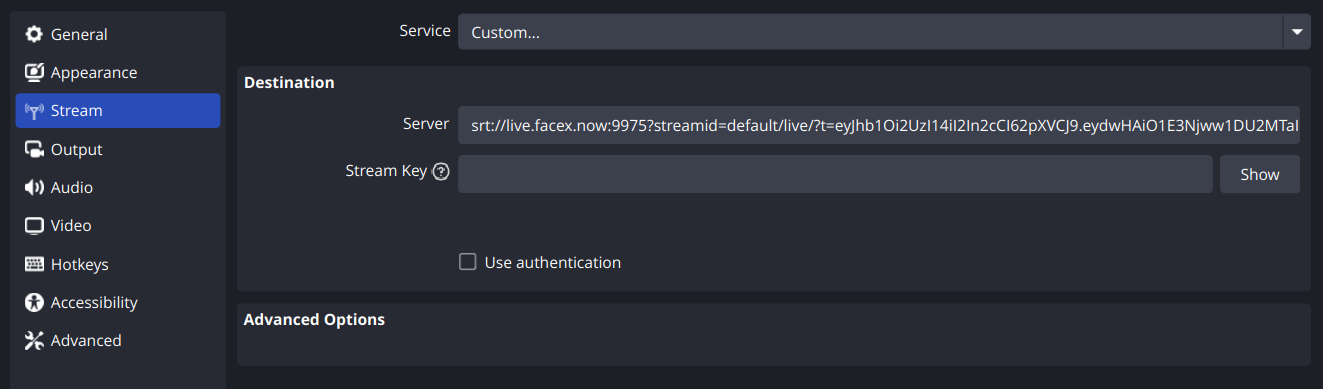
To publish your source stream using SRT (Secure Reliable Transport), configure your encoder with the full URL, including the authentication token.
- SRT URL
srt://live.facex.now:9975?streamid=default/live/?t=[TOKEN]
Copy and paste this entire URL into your encoder’s Server / URL field.
RTMP Stream Configuration
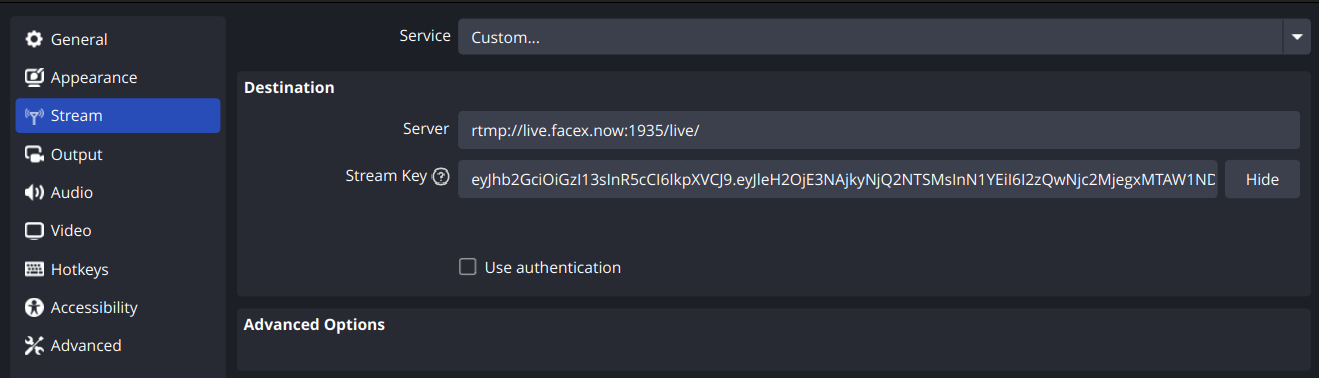
To publish your source stream using RTMP, configure your encoder with:
- Server URL
rtmp://live.facex.now:1935/live - Stream Key Use the stream key provided to you.
Some encoders allow embedding the stream key directly in the URL. If supported, use:
rtmp://live.facex.now:1935/live/[STREAM_KEY]
2. Streaming Settings Guide
The following settings are mandatory to ensure low latency and stable performance.
Minimum Mandatory Settings
Video Encoder
GPU (Recommended)
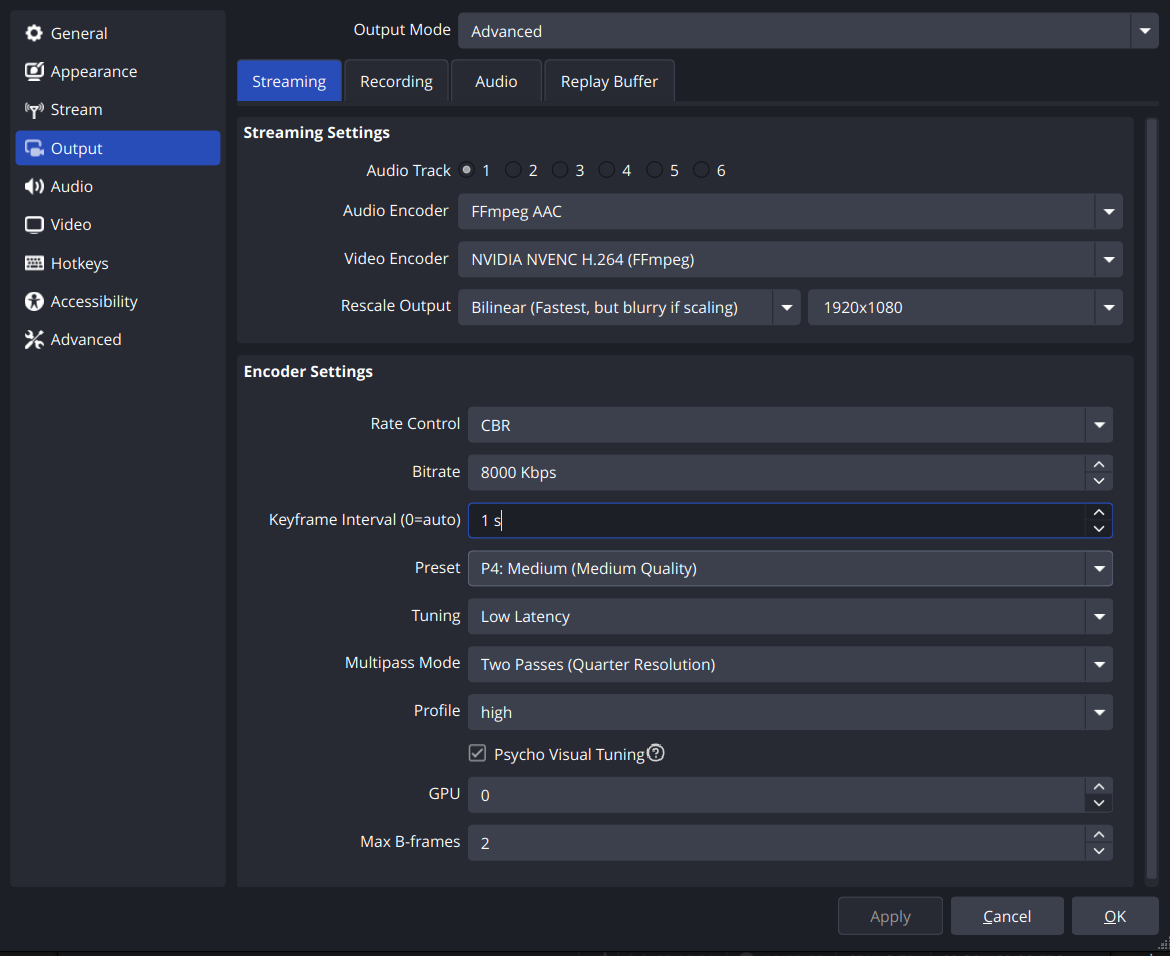
- NVIDIA NVENC (H.264) Preset: Default, Quality, or Performance
- AMD AMF (H.264) Preset: Default, Quality, or Balanced
CPU (Only if GPU is unavailable)
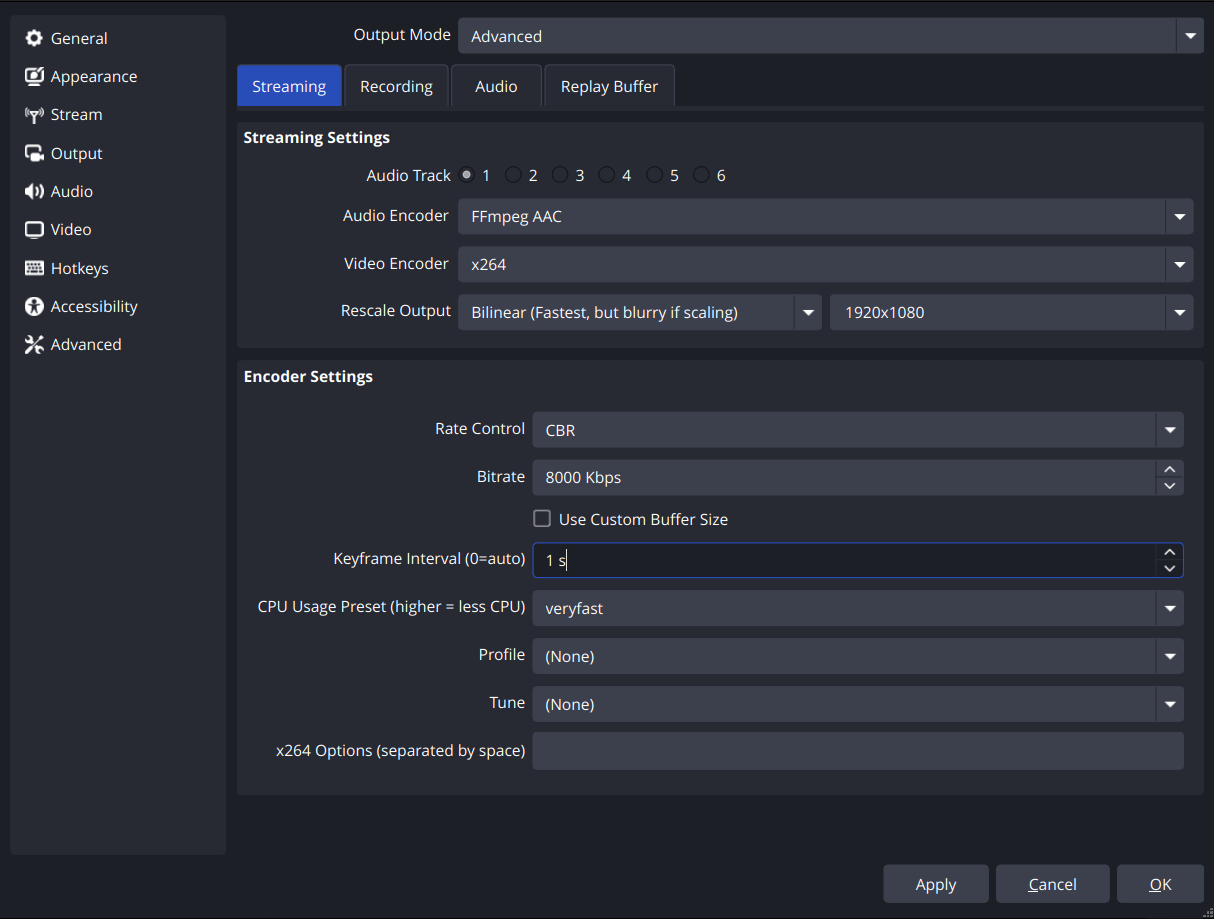
- x264 Preset:
veryfastorsuperfast
Required Video Parameters
- Keyframe Interval:
1 second - Target Video Bitrate:
≤ 8200 Kbps
These settings are required to guarantee low-latency streaming and stable playback across all supported encoders. GPU encoding is strongly recommended to reduce system load.
Recommended Settings (Optional)
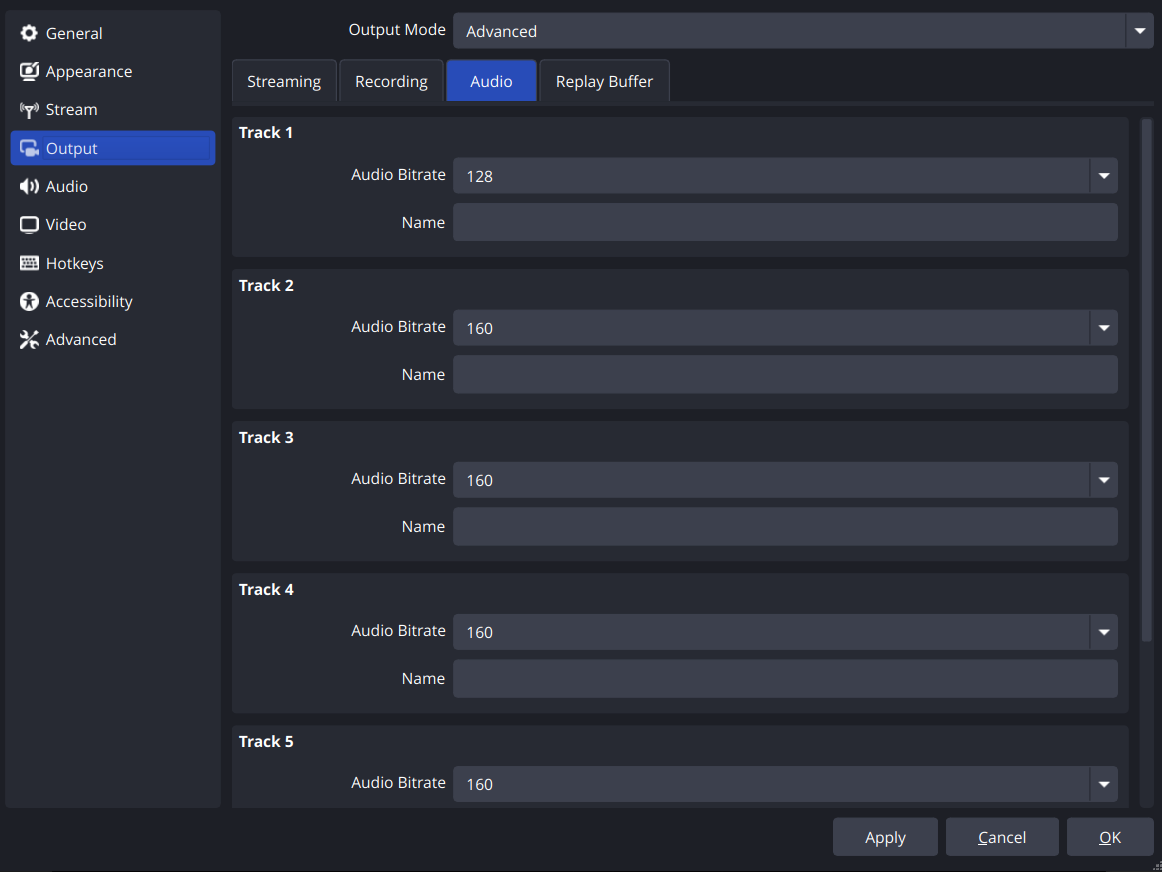
- Audio Bitrate:
128 Kbps - FPS:
60for smooth motion (Lower FPS is acceptable if bandwidth is limited) - Resolution:
1080precommended (Use lower resolution if bandwidth is limited) - Encoder Preset: May be increased slightly if system and network allow
These settings improve visual and audio quality while maintaining low latency. Always stay within the maximum bitrate limit to ensure stable performance.
Start Streaming
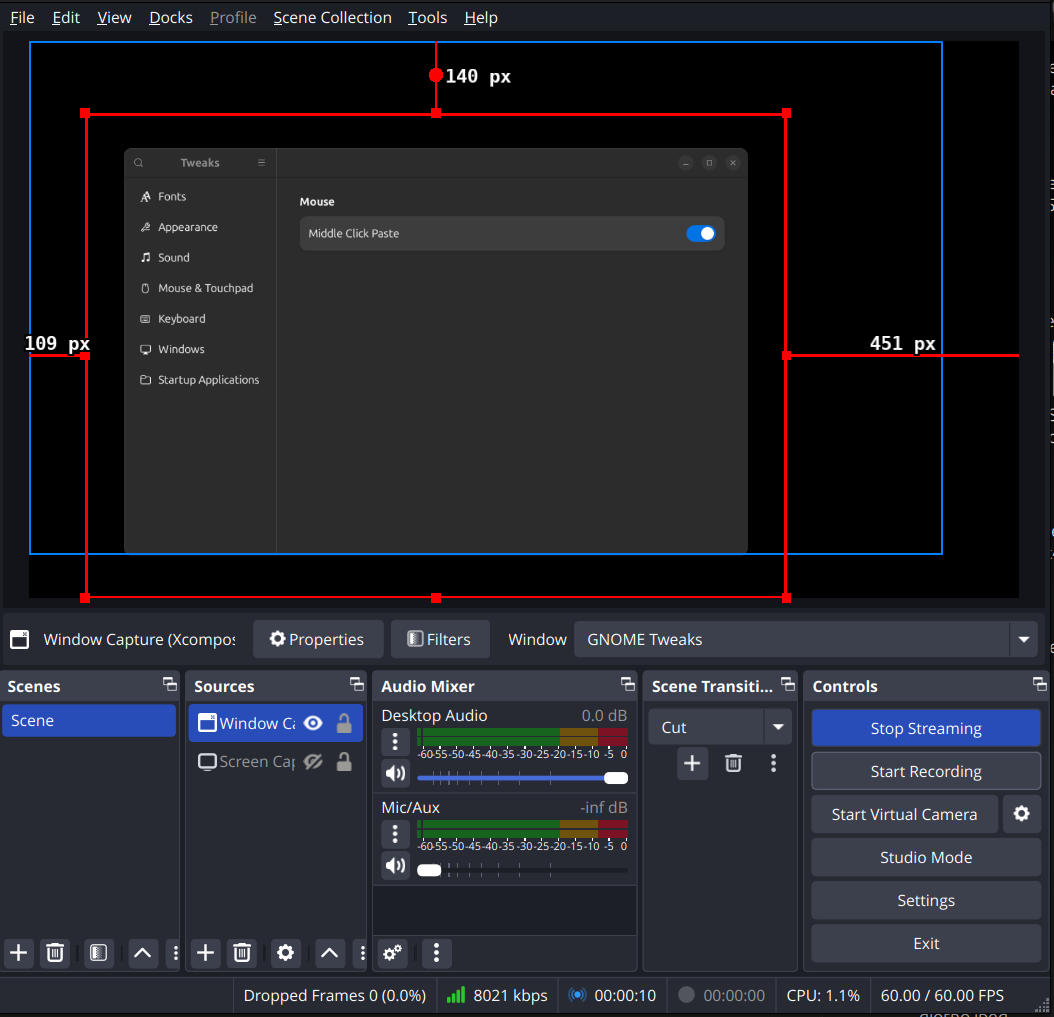
Once all settings are configured correctly, click Start Streaming in your encoder.
✅ You are now ready to go live.